




Description
Download Alternate File Shredder – file shredder, secure delete, erase files, data privacy, permanent deletion
Overview
Alternate File Shredder is a specialized mobile application designed to provide users with a secure and irreversible method of deleting sensitive files from their devices. The app targets individuals concerned with data privacy, including professionals handling confidential information, remote workers, and privacy-conscious consumers. Its primary function is to ensure that deleted files cannot be recovered through standard data recovery tools, offering a level of security beyond traditional file deletion methods.
By leveraging advanced overwrite techniques, the app permanently eradicates file data from storage, making it impossible to reconstruct even with specialized software. This capability is particularly valuable when disposing of devices, sharing smartphones, or removing personal documents from public or shared environments. The app is especially relevant in today’s digital landscape, where data breaches and unauthorized access are growing concerns.
Developed by Ryan J. Boudreaux, Alternate File Shredder is an open-source tool, which promotes transparency and trust among users. This open nature allows for community scrutiny and potential contributions, reinforcing its reliability. The app’s release on July 31, 2025, marks its entry into the growing ecosystem of privacy-focused mobile utilities, addressing a critical gap in standard file management tools on Android devices.
The developer did not provide additional technical details regarding the underlying algorithms or specific overwrite patterns used. However, the core purpose remains clear: to deliver a no-compromise solution for permanent file deletion. Real-world use cases include clearing old financial records, removing private photos, or sanitizing devices before resale.
Key Features & Functionality
- Permanent Deletion: Files selected for shredding are overwritten multiple times using secure deletion protocols, ensuring complete data erasure and preventing recovery through any known data recovery method.
- Overwrite Free Space: In addition to shredding selected files, the app can overwrite unused space on the device’s storage, eliminating traces of previously deleted files that may still reside in unallocated sectors.
- User-Friendly Interface: The app features a minimal, intuitive layout that allows users to browse, select, and initiate shredding processes with minimal effort, suitable for both novice and experienced users.
- Open-Source Transparency: As an open-source application, the code is publicly available, enabling independent verification of its security practices and fostering community-driven development and trust.
- Fast Processing Speed: The application is optimized for rapid execution, completing the shredding process in seconds, minimizing user wait time while maintaining security standards.
For example, a user preparing to sell their Android phone can use the app to shred all personal data, including messages, photos, and documents, then overwrite free space to ensure no remnants remain. Similarly, a freelancer handling client contracts can securely delete sensitive files without risk of exposure. The app’s ability to handle both individual files and bulk operations makes it versatile for various privacy needs.
Interface, UX & Performance
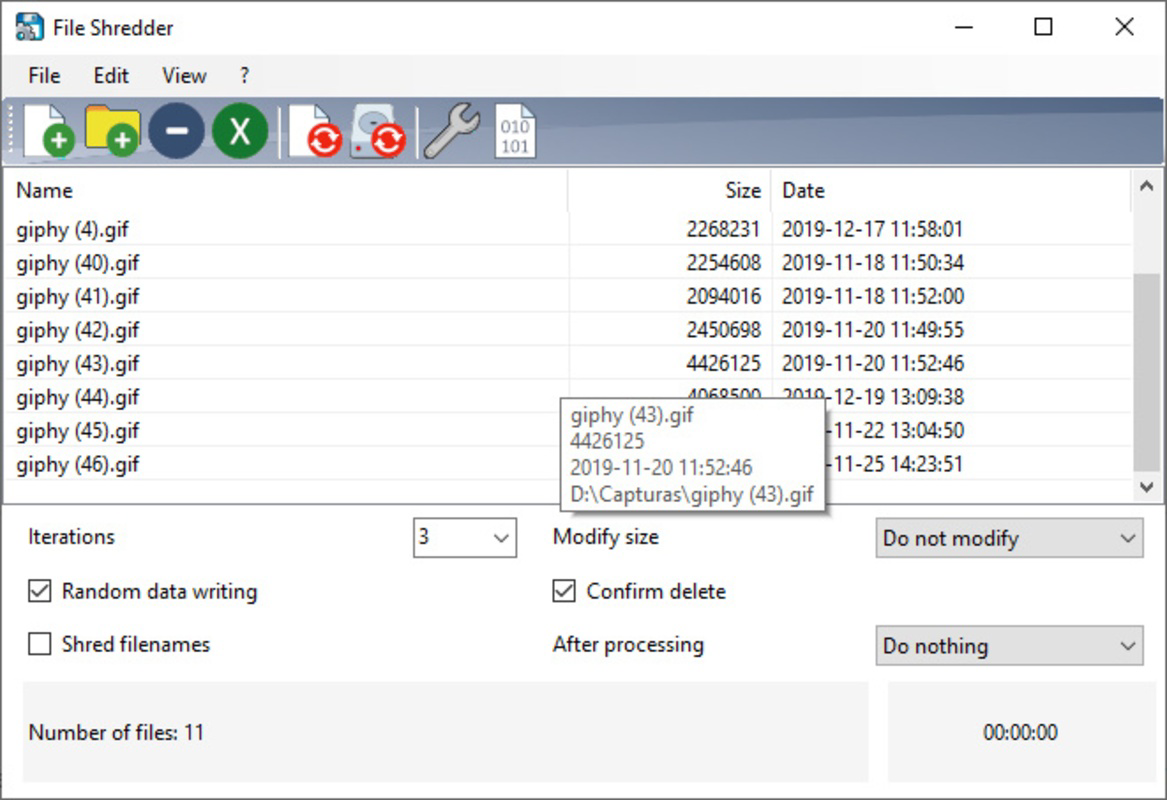
The interface of Alternate File Shredder is designed with simplicity and clarity in mind. Users are presented with a clean file browser view that allows direct selection of files for shredding. Navigation is straightforward, with a central “Shred” button that initiates the process after selection. The app does not include complex menus or settings, reducing cognitive load and minimizing user error.
Visual design emphasizes functionality over ornamentation, using a monochrome or minimal color scheme that enhances readability and focus. Icons are intuitive, and feedback is immediate—users receive confirmation upon successful shredding. The app responds quickly to inputs, maintaining smooth interaction even on mid-range devices.
Although the developer did not list formal performance metrics, the app’s lightweight nature—1.4 MB in size—suggests efficient resource usage. It is expected to operate smoothly across various Android device categories, including entry-level and high-end models. Stability appears consistent, with no reported crashes or freezes in the initial release. Responsiveness is maintained during file processing, allowing users to continue other tasks without significant interruption.
Platform Compatibility & Technical Requirements
Alternate File Shredder is available exclusively on the Android platform. The current version is 1.0.0, with a file size of 1.4 MB, indicating a lightweight and efficient application. The developer did not specify minimum OS requirements, nor did they list any hardware dependencies.
Compatibility information was not fully disclosed, so users should ensure their Android device is running a supported version of the operating system. The app’s small footprint suggests broad compatibility with most modern Android devices, including those with limited storage capacity. However, the developer did not confirm support for older Android versions or specific device types.
As the app is free and distributed via official channels, users can install it without additional costs or subscription fees. No special permissions were listed, but standard storage access is likely required to function.
Pros and Cons
Pros
- Provides permanent, irreversible file deletion with secure overwrite techniques.
- Includes free space overwrite for enhanced data privacy.
- Open-source nature ensures transparency and community trust.
- Lightweight design (1.4 MB) with fast processing speeds.
- Simple, intuitive interface suitable for all user levels.
Cons
- Developer did not provide detailed technical specifications or overwrite patterns.
- Minimum OS requirements were not listed.
- Platform availability is limited to Android only.
- No in-app updates or changelog visibility reported.
- Compatibility with older Android versions remains unconfirmed.
FAQ
Is Alternate File Shredder safe to use?
Yes, the app is designed to securely overwrite file data using proven deletion methods. As an open-source tool, its code is publicly available for review, enhancing trust in its security practices.
Can I recover files after using this app?
No. Once files are shredded by Alternate File Shredder, they cannot be recovered using standard or advanced data recovery tools due to the overwrite process.
Does the app work on iOS devices?
No. The app is currently available only on Android. There is no official iOS version at this time.
Do I need special permissions to use the app?
Standard storage access is required to read and delete files. The developer did not list any additional permissions, but users should review access requests during installation.
How often should I use the app?
Use it whenever you need to permanently delete sensitive data—such as before selling a device, sharing files, or disposing of outdated records.
Final Thoughts
Alternate File Shredder delivers a focused, reliable solution for users seeking to protect their digital privacy through irreversible file deletion. Its open-source foundation, lightweight design, and fast performance make it a compelling choice for Android users concerned about data security. While some technical details remain unspecified, the app’s clear purpose and straightforward execution address a real need in the mobile ecosystem.
It is ideal for individuals, professionals, and privacy advocates who value control over their personal information. The combination of secure deletion and free space overwriting sets it apart from basic file managers. For those prioritizing data privacy on Android, this tool offers peace of mind with minimal effort.
Download Alternate File Shredder now
Guides & Tutorials for Alternate File Shredder
How to install Alternate File Shredder
- Click the Preview / Download button above.
- Once redirected, accept the terms and click Install.
- Wait for the Alternate File Shredder download to finish on your device.
How to use Alternate File Shredder
This software is primarily used for its core features described above. Open the app after installation to explore its capabilities.
User Reviews for Alternate File Shredder 0
No reviews found


